Shark Vacuum Error 9
When it comes to our trusty Shark vacuum cleaners, encountering an error code can be quite perplexing. One such error that users may come across is “Error 9”. In order to effectively troubleshoot and resolve this issue, it’s important to have a clear understanding of what these error codes mean.
Error codes are designed to provide valuable information about the specific problem or malfunction occurring within the vacuum cleaner. They serve as helpful indicators, pointing users in the right direction for potential solutions. In the case of “Error 9” on a Shark vacuum, it signifies an issue with the brush roll or brush roll motor.
Understanding Error Codes
If you encounter “Error 9” on your Shark vacuum, here are a few steps you can take to address the problem:
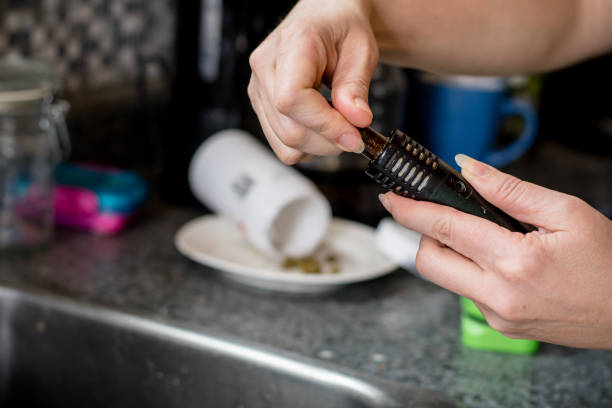
- Check for blockages: Start by turning off and unplugging your vacuum cleaner. Inspect the brush roll area and remove any tangled hair, debris, or obstructions that may be preventing it from rotating smoothly.
- Reset the brush roll motor: Locate the reset button on your Shark vacuum (usually found near the power switch) and press it firmly. This action will reset the brush roll motor and potentially resolve any temporary issues causing “Error 9”.
- Contact customer support: If steps one and two don’t resolve “Error 9”, it’s best to reach out to Shark’s customer support team for further assistance. They have comprehensive knowledge of their products’ error codes and can guide you through additional troubleshooting steps or advise on repair options if needed.
Remember to always refer to your Shark vacuum’s user manual for specific instructions related to error codes and troubleshooting methods. Each model may have slight variations in terms of resetting procedures or recommended actions.
Possible Causes of Error Code 9
When it comes to troubleshooting your Shark vacuum, encountering an error code can leave you scratching your head. One such error is the dreaded “Error Code 9.” In this section, we’ll explore some possible causes of Error Code 9 and how you can address them.
Common Symptoms of Error 9 on Shark Vacuums
When your Shark vacuum displays an Error 9 message, it’s essential to understand the underlying reasons behind it. Here are some typical symptoms associated with Error 9:
- Loss of suction: One telltale sign of Error 9 is a sudden drop in suction power during operation. You may notice that your vacuum isn’t picking up debris as effectively as before.
- Brush roll issues: Another indication is when your brush roll stops spinning or exhibits abnormal behavior while cleaning. This can result in poor performance and unsatisfactory cleaning results.
- Strange noises: If you hear unusual grinding or rattling sounds coming from your Shark vacuum, coupled with the Error 9 message, it’s likely related to a mechanical malfunction triggering the error code.
Preventive Measures to Avoid Error 9 on Your Shark Vacuum
Prevention is often better than cure when dealing with error codes like Error 9 on your Shark vacuum. By following these preventive measures, you can minimize the chances of encountering this issue:
- Regular maintenance: Keep your vacuum in optimal condition by regularly cleaning and maintaining its various components according to the manufacturer’s instructions.
- Proper usage: Ensure that you’re using your Shark vacuum correctly by avoiding excessive force or strain during operation.
- Avoiding clogs: Regularly check and remove any obstructions from the brush roll or hose that could impede proper airflow, leading to Error 9.
- Emptying the dust bin: Always empty the dust bin when it reaches its capacity, as an overly full bin can hinder suction performance and trigger errors.
Contacting Customer Support for Help with Error 9
If you’ve followed the preventive measures and are still encountering Error 9 on your Shark vacuum, don’t panic. The manufacturer’s customer support team is there to assist you. Here’s how you can reach out for help:
- Online resources: Visit the official Shark website and navigate to their support section, where you’ll find troubleshooting guides, FAQs, and helpful articles related to error codes like Error 9.
- Customer service hotline: Reach out to Shark’s customer service via phone or email using the contact details provided on their website. Explain your situation and provide any relevant information about your vacuum model and the error code you’re experiencing.
- Warranty coverage: If your Shark vacuum is still under warranty, inform customer support when reporting Error 9. They may guide you through potential solutions or arrange repairs or replacements as per the warranty terms.
Remember that each case may vary slightly depending on your specific model and circumstances, so it’s always best to consult with the experts at Shark for personalized assistance in resolving Error 9.